See What Drives Engagement
See your top posts, publishing patterns, and what's actually resonating with your readers.
Substack Analytics Features
Know What Your Readers Actually Want
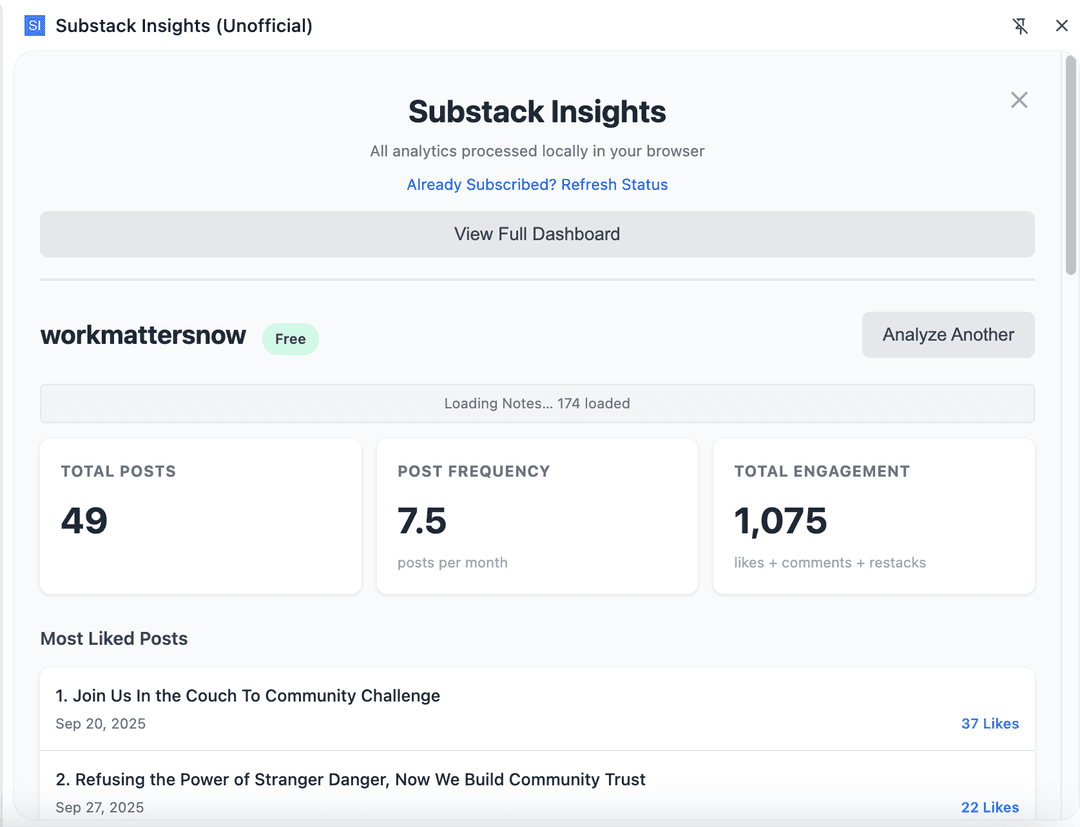
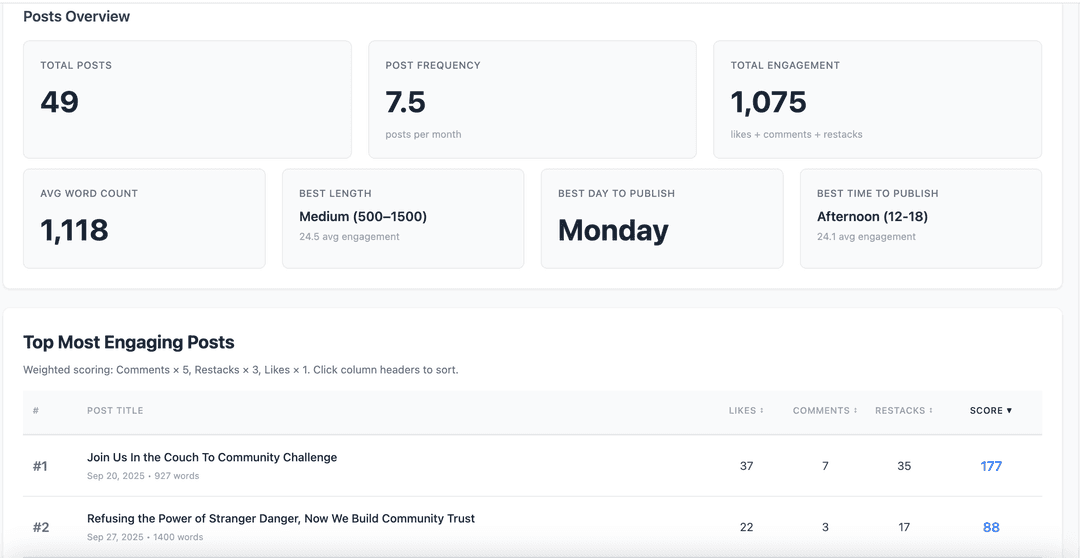
See a ranked list of your most liked, commented, and restacked posts
Build a Notes Habit That Works
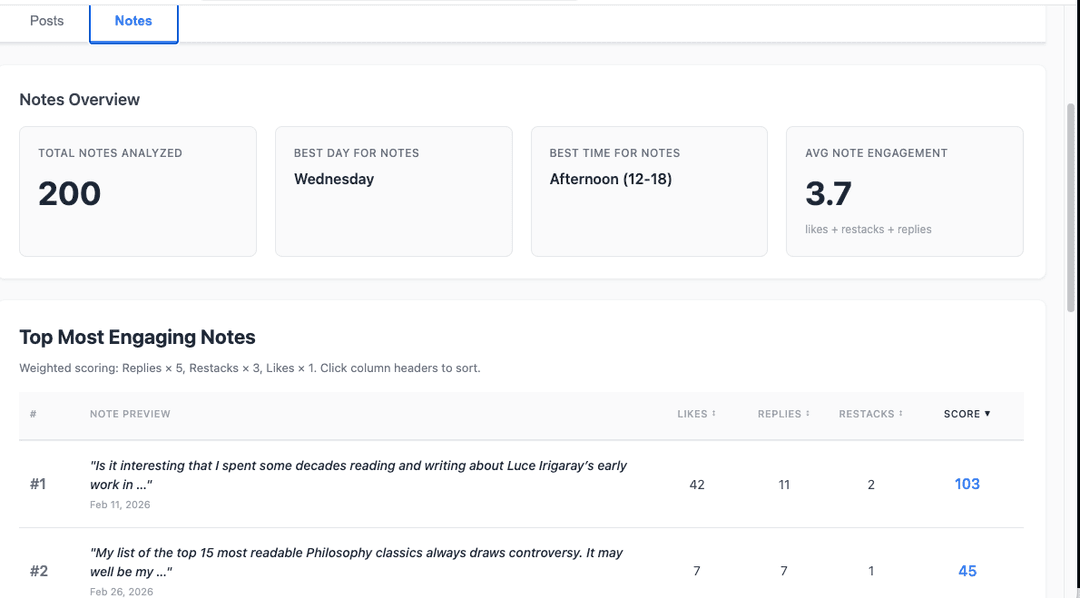
Track engagement on your Substack Notes — best times, top notes, and reply patterns
Never Guess When to Hit Publish
Discover your best day and time to publish, plus the post length and topics that resonate most with your readers
Get Custom Answers From Any AI Tool
Export a CSV pre-loaded with prompts for your favorite AI tool — just paste and ask away
See It in Action
Simple Pricing
- ✓ Full analytics dashboard
- ✓ Top posts insights
- ✓ Publishing patterns
- ✓ Export a CSV + AI prompts — interrogate your own data with ChatGPT, Claude, or Gemini
- ✓ Everything in Free
- ✓ Notes analytics
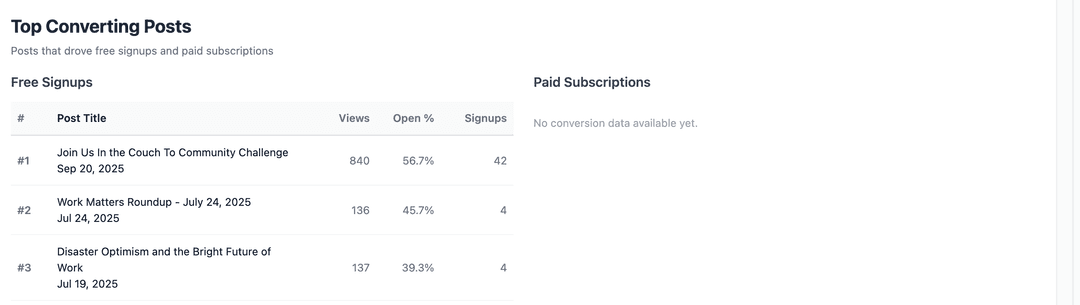
- ✓ Conversion & creator stats
- ✓ Priority support
“Does exactly what it says it'll do, and does it efficiently. As a bonus, the CSV export comes with some nice suggestions for analysis ideas. That's a good touch.”
— Joseph Fung
“this is so handy to have. i love analytics and this is everything substack is missing.”
— Madge
Frequently Asked Questions
Do I need to give you my Substack password?
No — you never enter your password anywhere in this extension. It uses the session you’re already logged into in your browser. We never see, store, or transmit your credentials.
Why not just use Substack’s built-in stats?
Substack shows you raw counts. Insights shows you patterns — which posts actually convert readers into paid subscribers, your best day and time to publish, and what post length performs best for your specific audience.
How long does setup take?
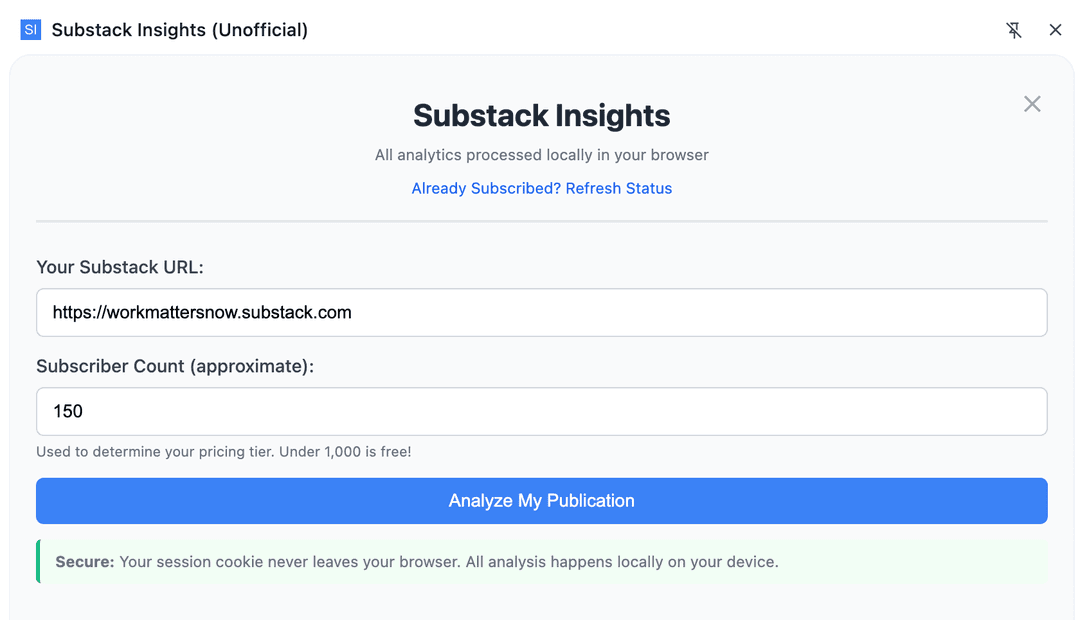
About 30 seconds. Install the extension, enter your Substack URL, and it pulls your stats immediately — no account creation, no configuration.
What does "processed locally" actually mean?
Your Substack session and all the data it pulls stay on your device. The analysis happens in your browser, not on our servers — we couldn’t see your data if we wanted to.
What’s the difference between the free and paid version?
Free covers publications under 1,000 subscribers with full analytics access. Above 1,000 subscribers, it’s $9.99 one-time.
Don't see your question? Ask us at hello@substackinsights.com